You can use this guide to disable or enable a mailbox using the Client Management Portal. This may be useful if the person who uses the mailbox is not supposed to be able to log in, for example.
First go to Products & Services (you must be logged in to use this link) and pick the appropriate hosting package.
Disable a Mailbox
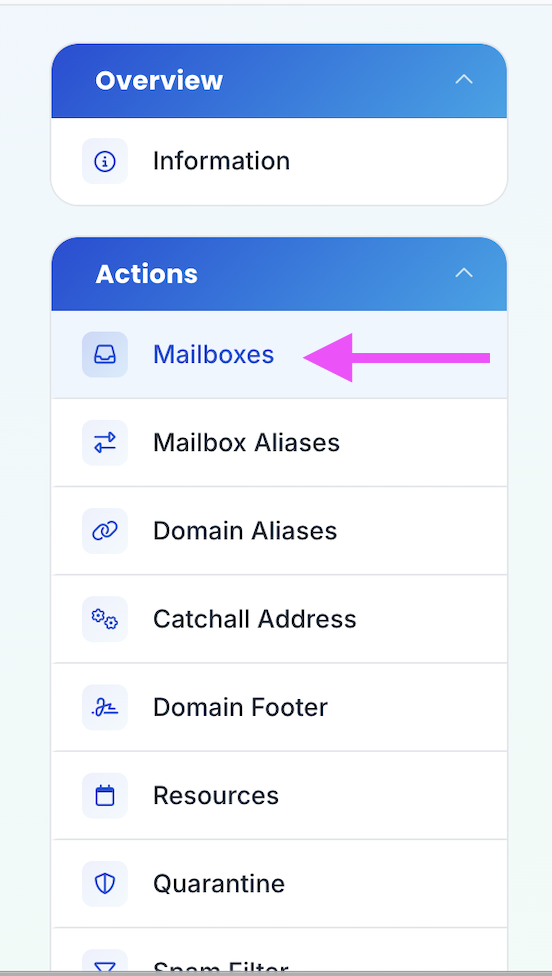
- Click on Mailboxes in the sidebar
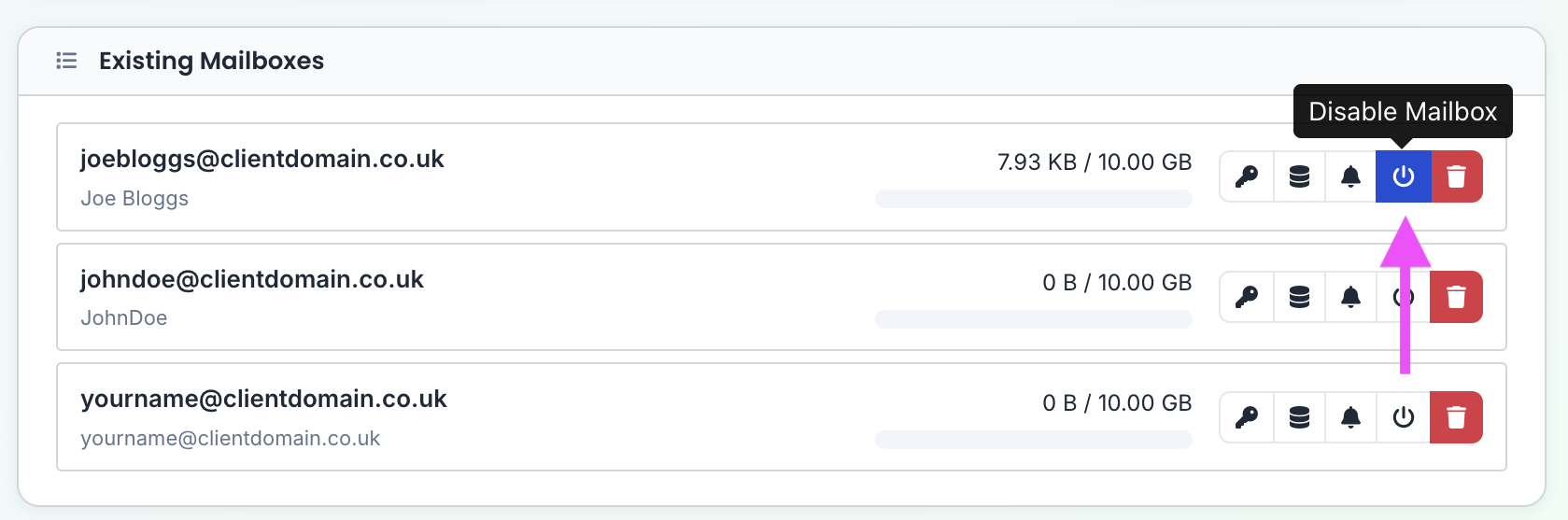
- Click the Disable Mailbox button
- Select how to disable the mailbox, then click Disable Mailbox
You are able to Fully Disable a mailbox, which will reject inbound email for it, or just Disable Login and continue to accept new inbound email.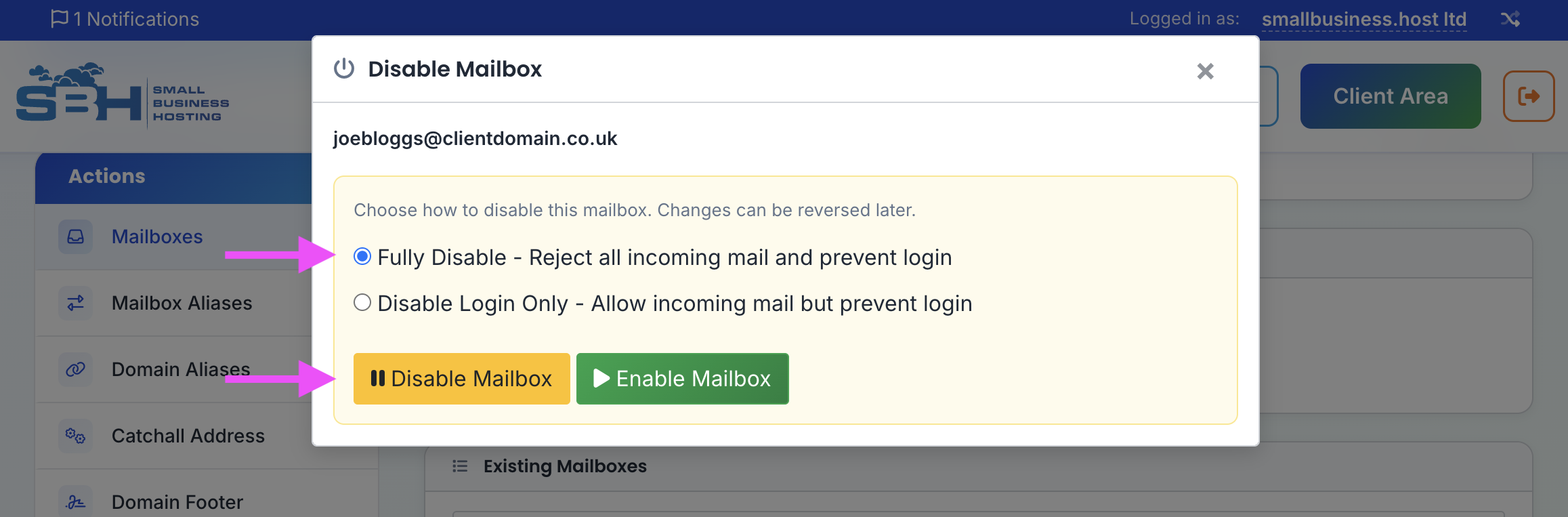
Enable a Mailbox
- Click on Mailboxes in the sidebar
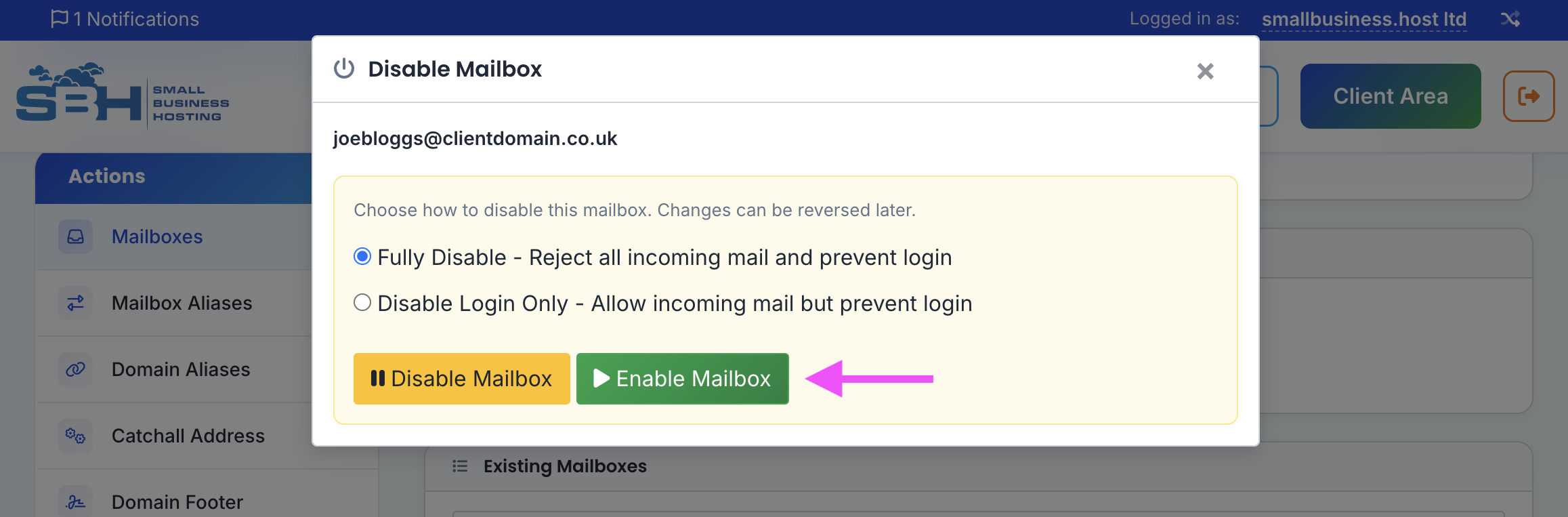
- Click the Disable Mailbox button
- Click Enable Mailbox instead.