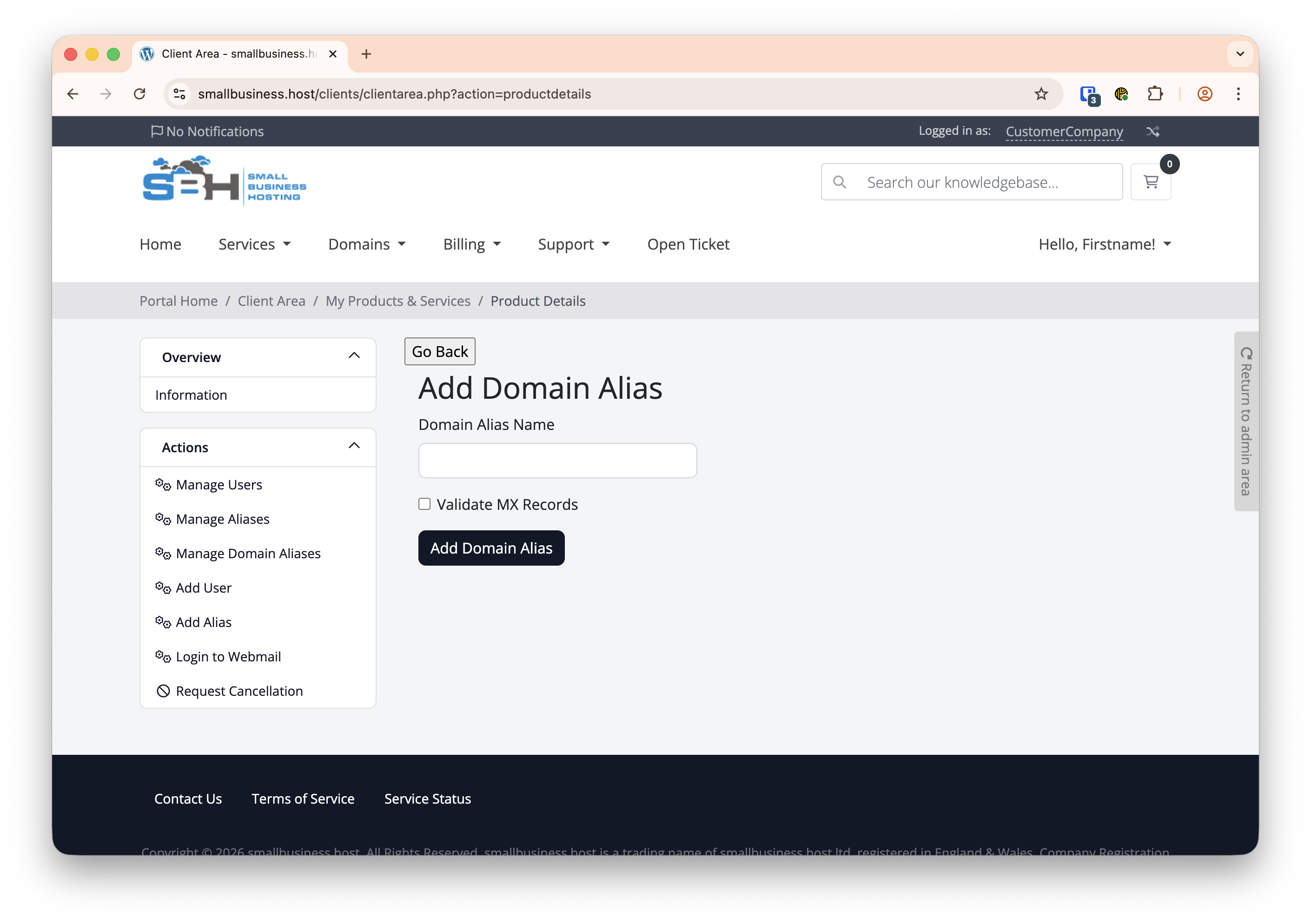
A domain alias is an additional secondary domain name that points to a primary domain. This allows multiple domains to receive emails into existing inboxes without having to pay for separate email services with the limitation that whilst you can receive emails on that domain, you cannot not send from it. This is often used for branding purposes or to catch emails from similar domains (e.g., .net and .com).
Important:
Domains with an associated smallbusiness.host DNS hosting package should have the correct DNS settings by default, but if you use an external provider for your DNS hosting you first need to ensure the domain in question has the following MX record pointing to us:
Type: MX
Destination: mx1.sbhdns.com
Priority: 0
We also strongly advise you create SPF and DKIM records to prevent your domain being used for spam.
Guide:
If you do not have DNS hosting for the domain you wish to add as an alias, you can order it here.
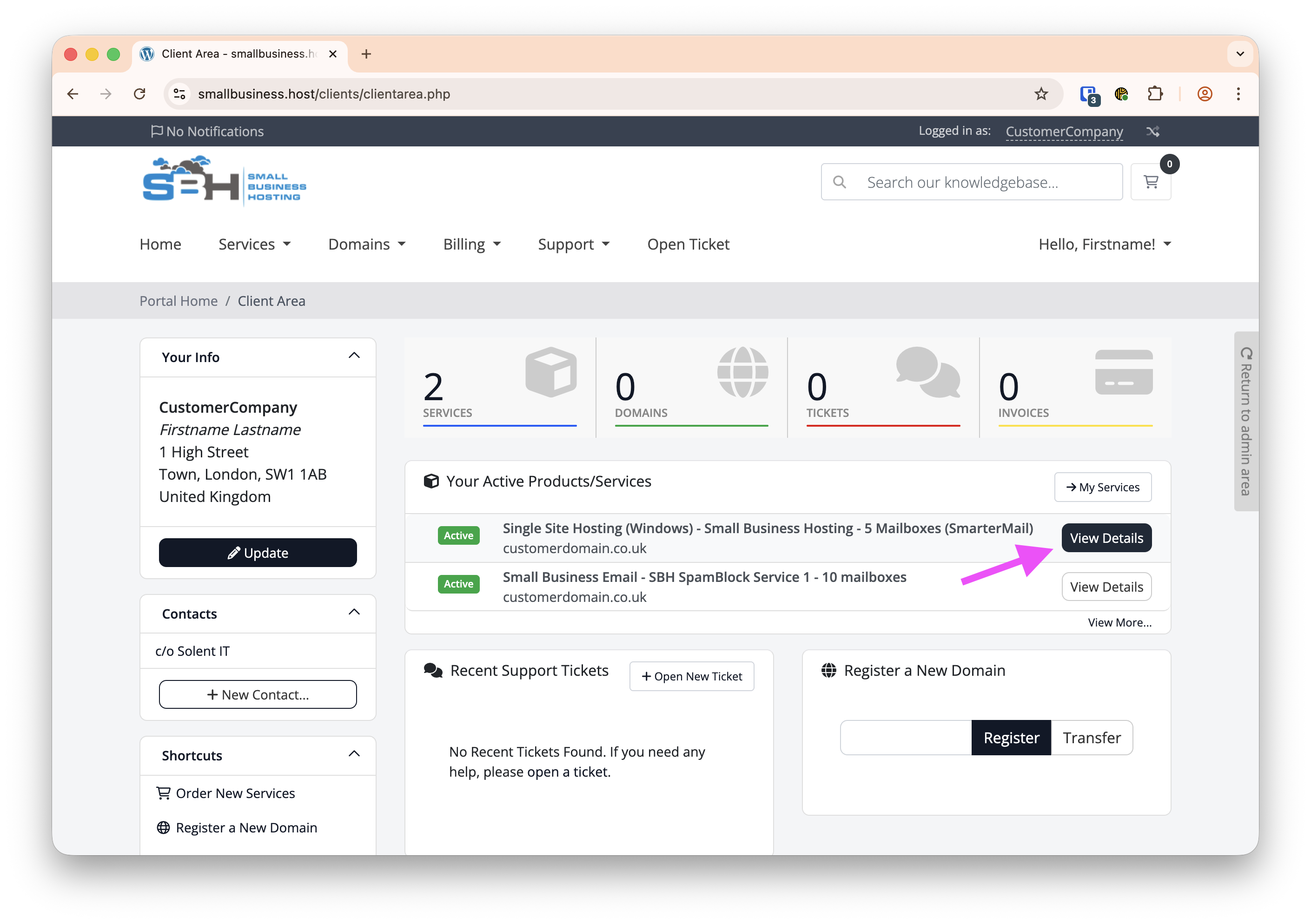
- Click View Details on the SmarterMail product
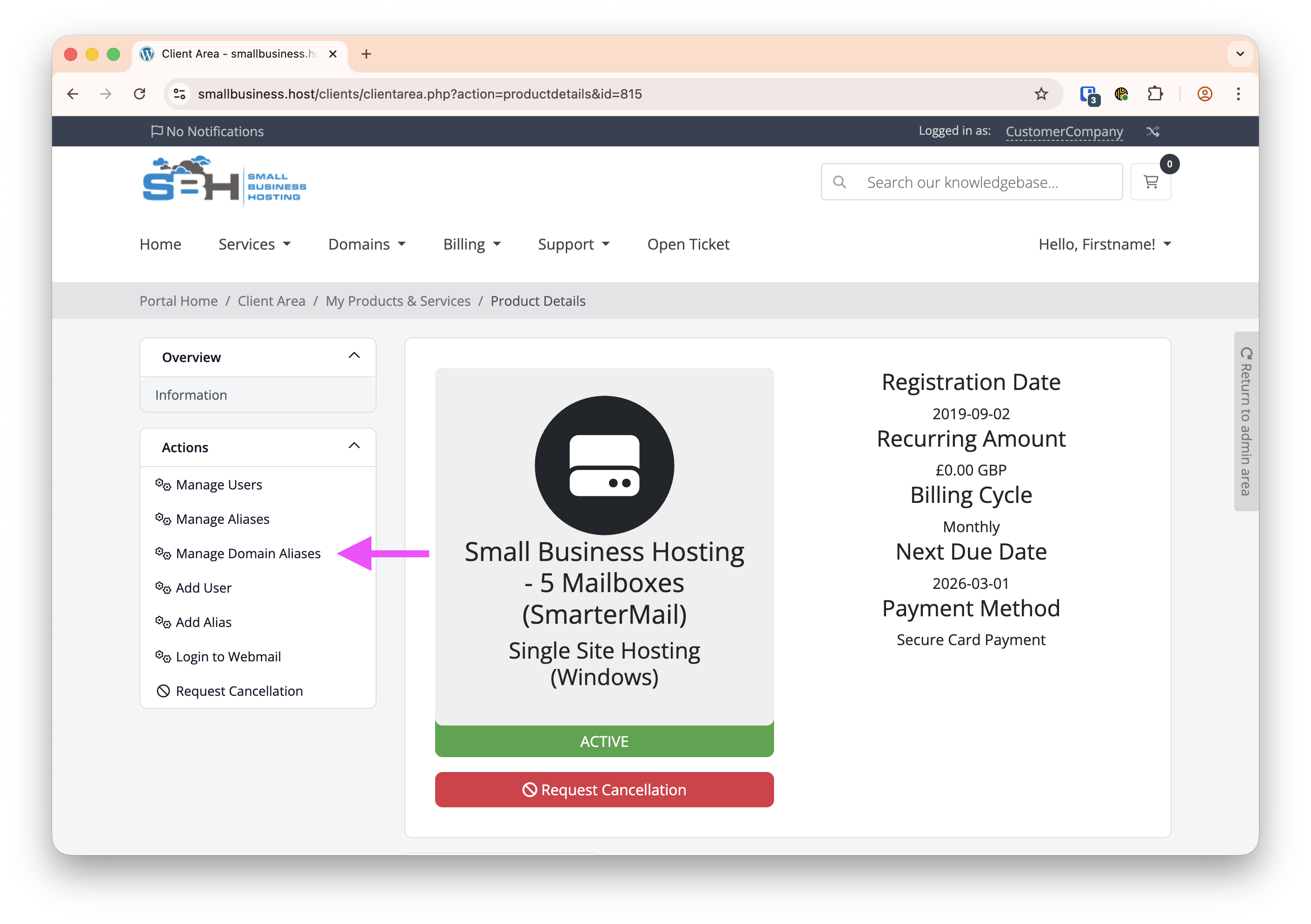
- Click on Manage Domain Aliases
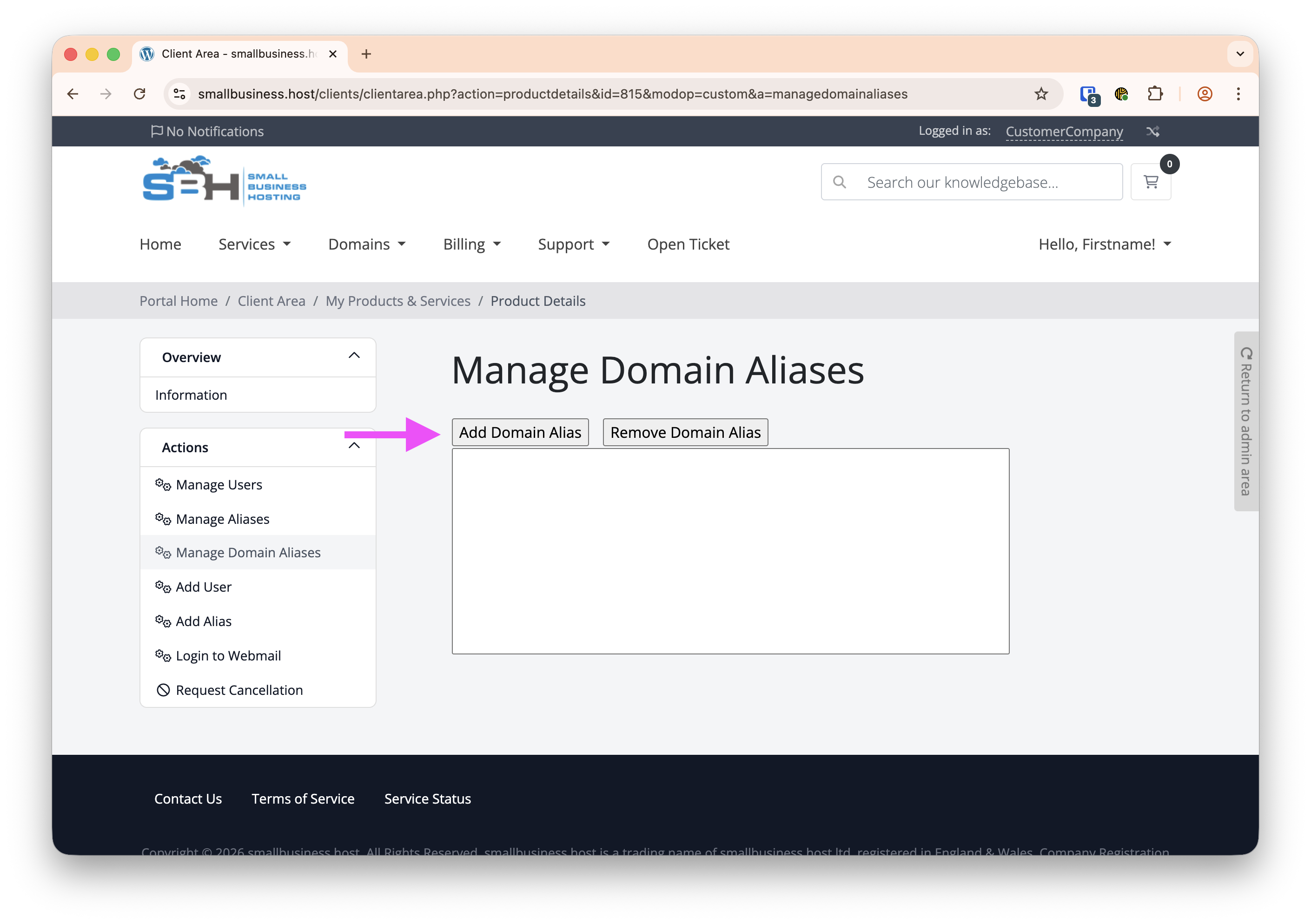
- Click on Add Domain Alias
- Enter the domain you want to add as an alias and click Add Domain Alias