To delete an email account on SmarterMail, log in using your domain's administrator account.
Link to control panel: https://c-sbh-mail1.sbhdns.com
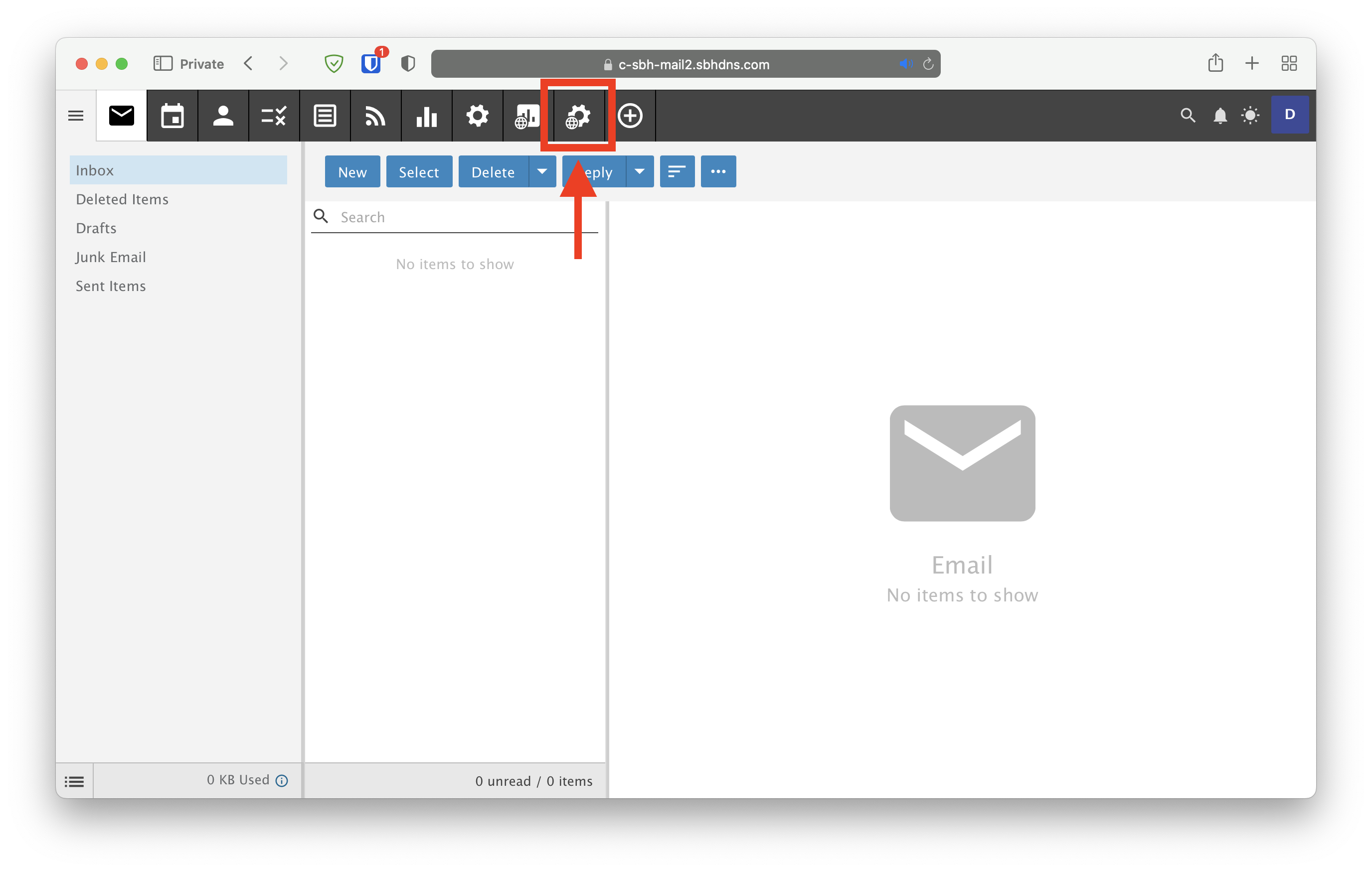
- Click on the cog with a globe icon next to it:
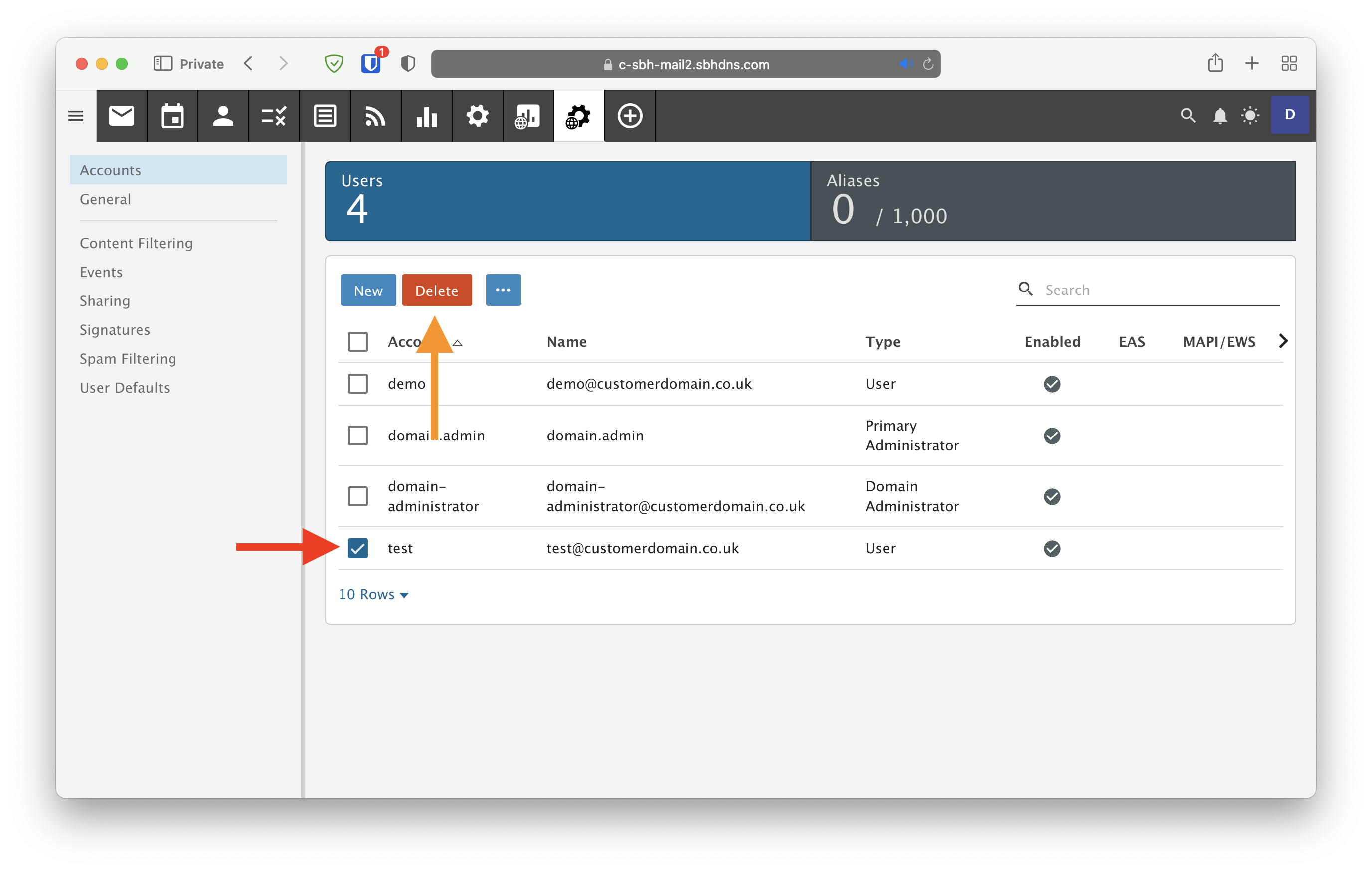
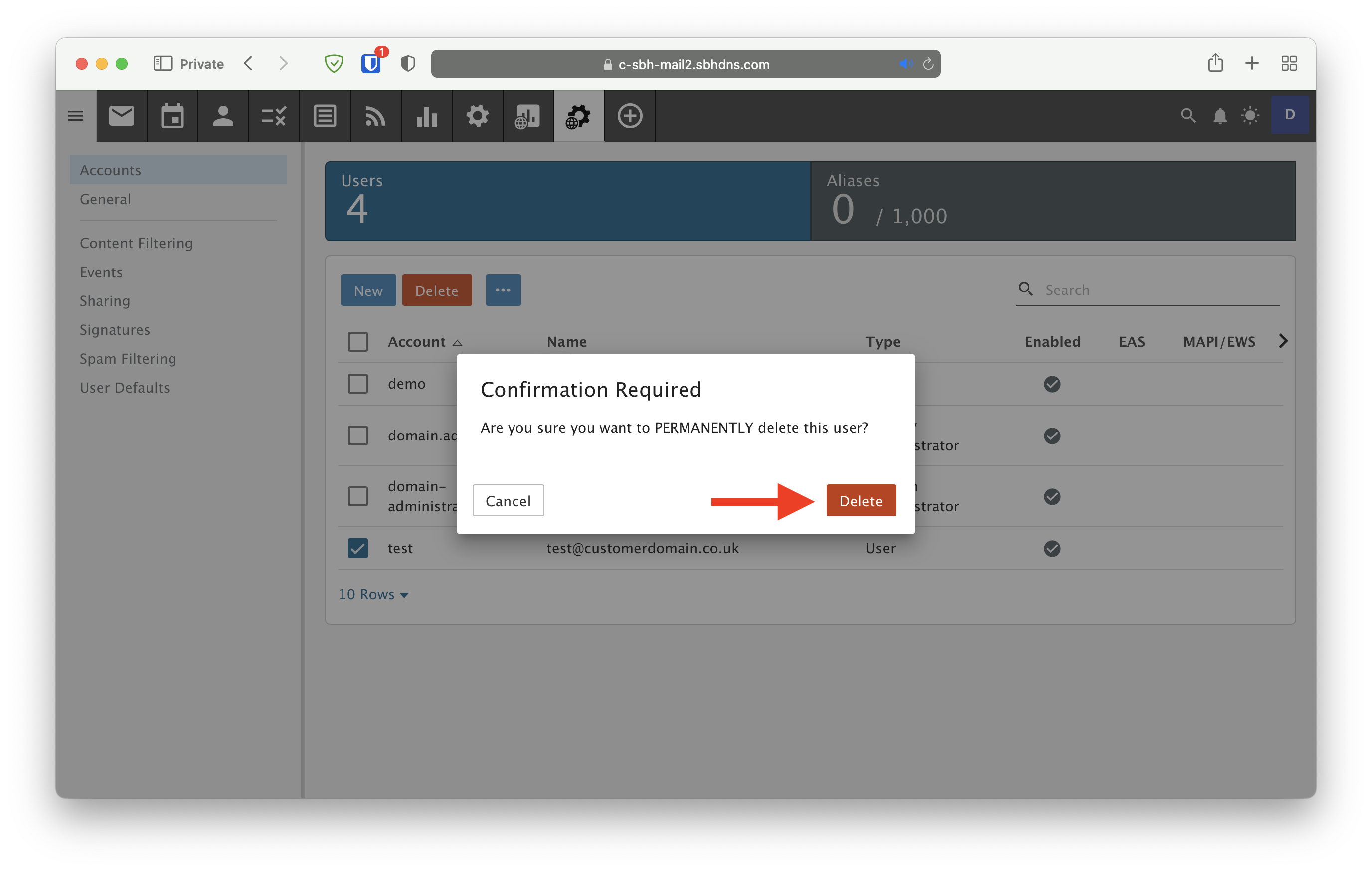
- Select the tickbox next to the account you wish to delete and click Delete. Then click Delete again on the confirmation window.