To create an email account on SmarterMail, log in using your domain's administrator account.
Link to control panel: https://c-sbh-mail1.sbhdns.com
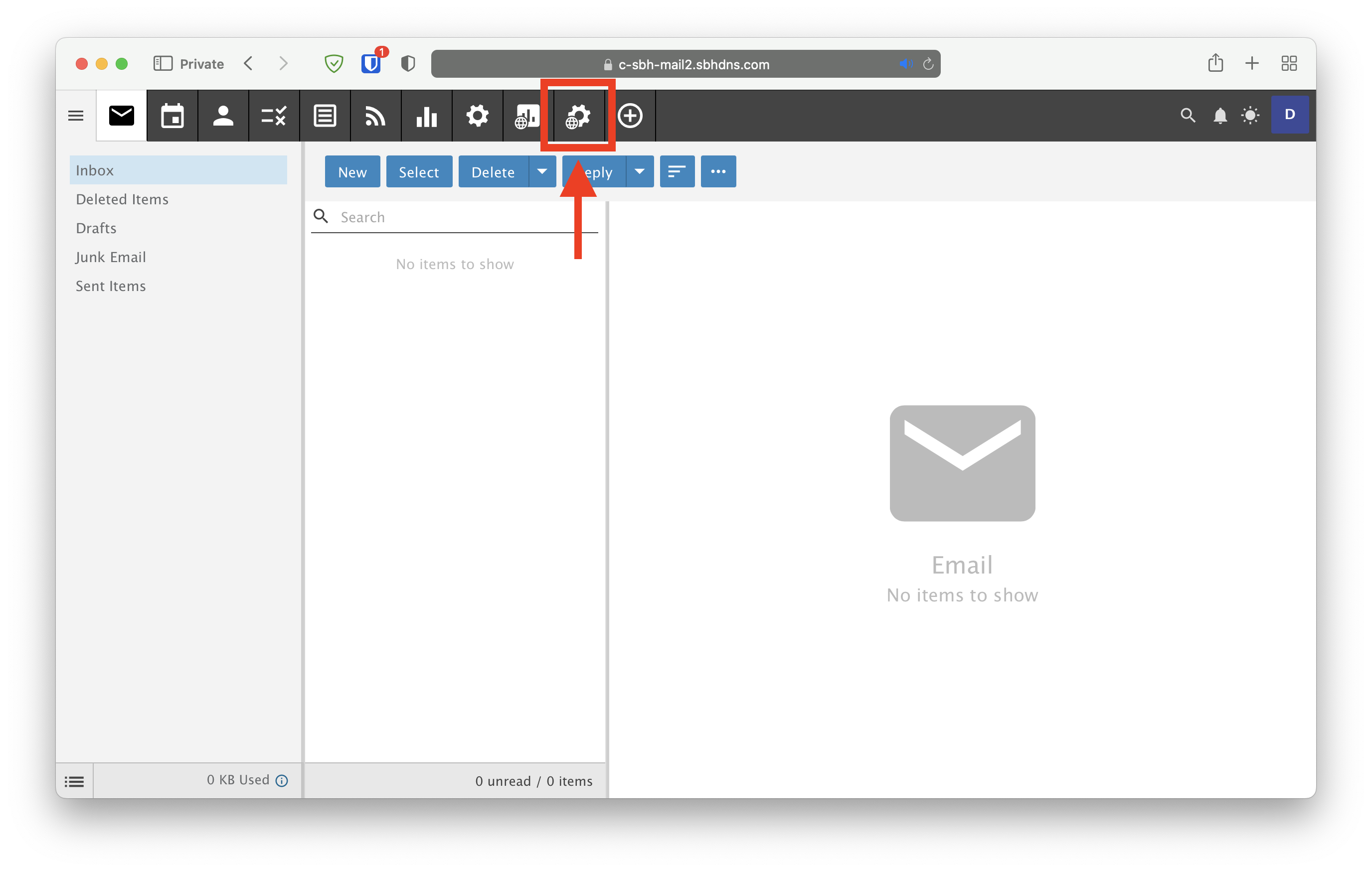
- Click on the cog with a globe icon next to it:
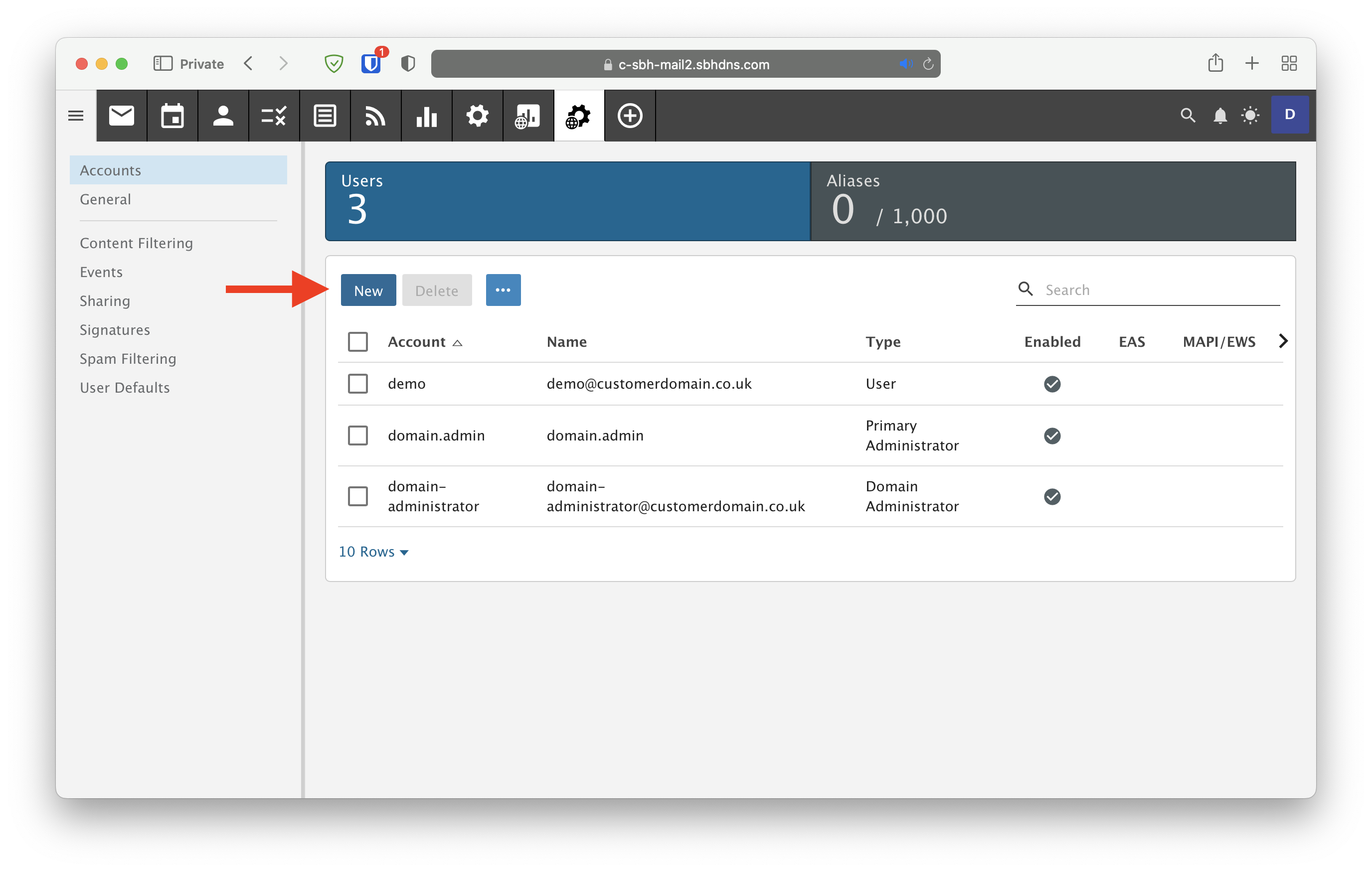
- Click on New
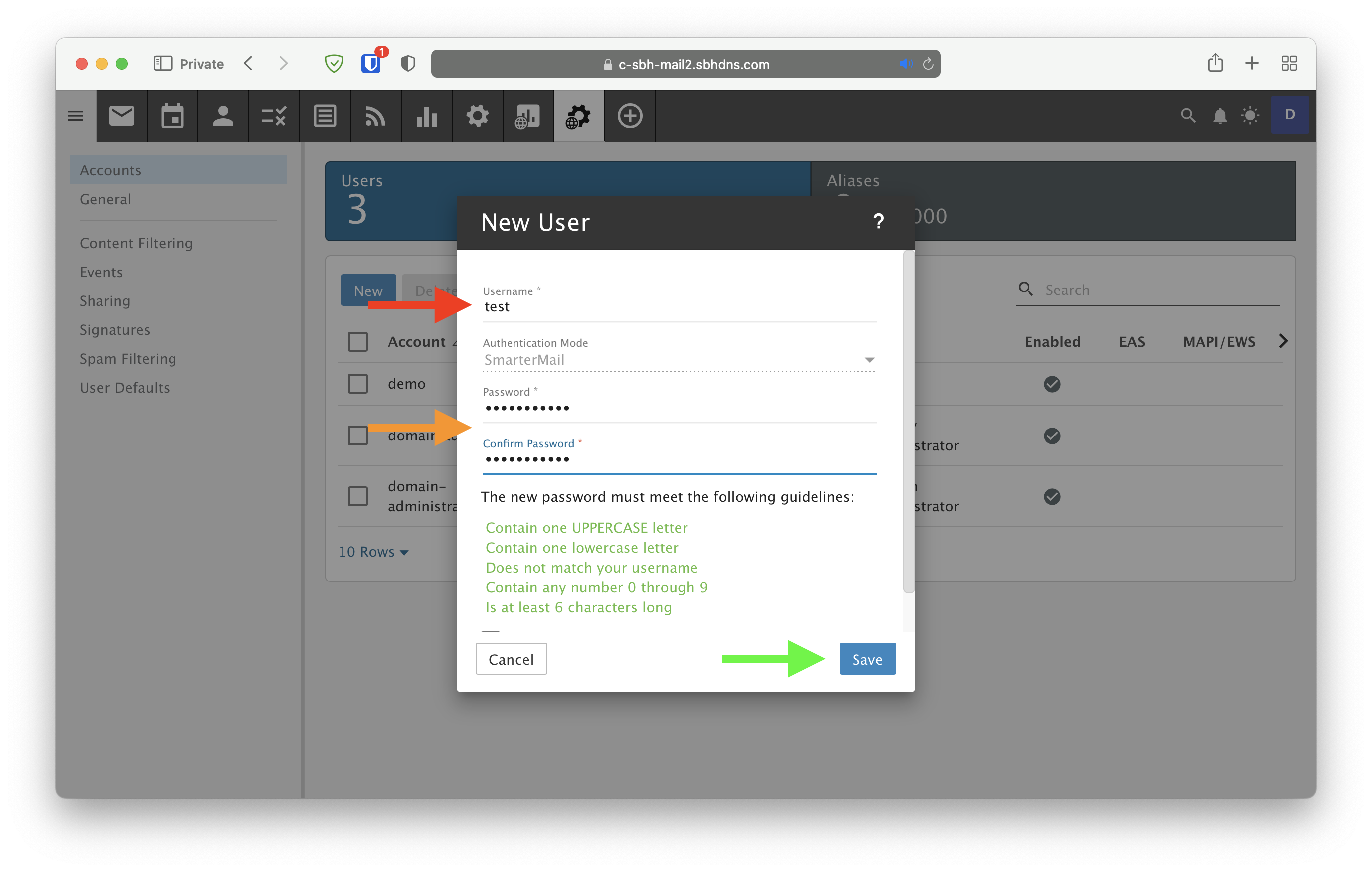
- Enter the desired username and a password for the account, and click Save
Note: Please follow NCSC guidance regarding email passwords: https://www.ncsc.gov.uk/collection/top-tips-for-staying-secure-online/use-a-strong-and-separate-password-for-email