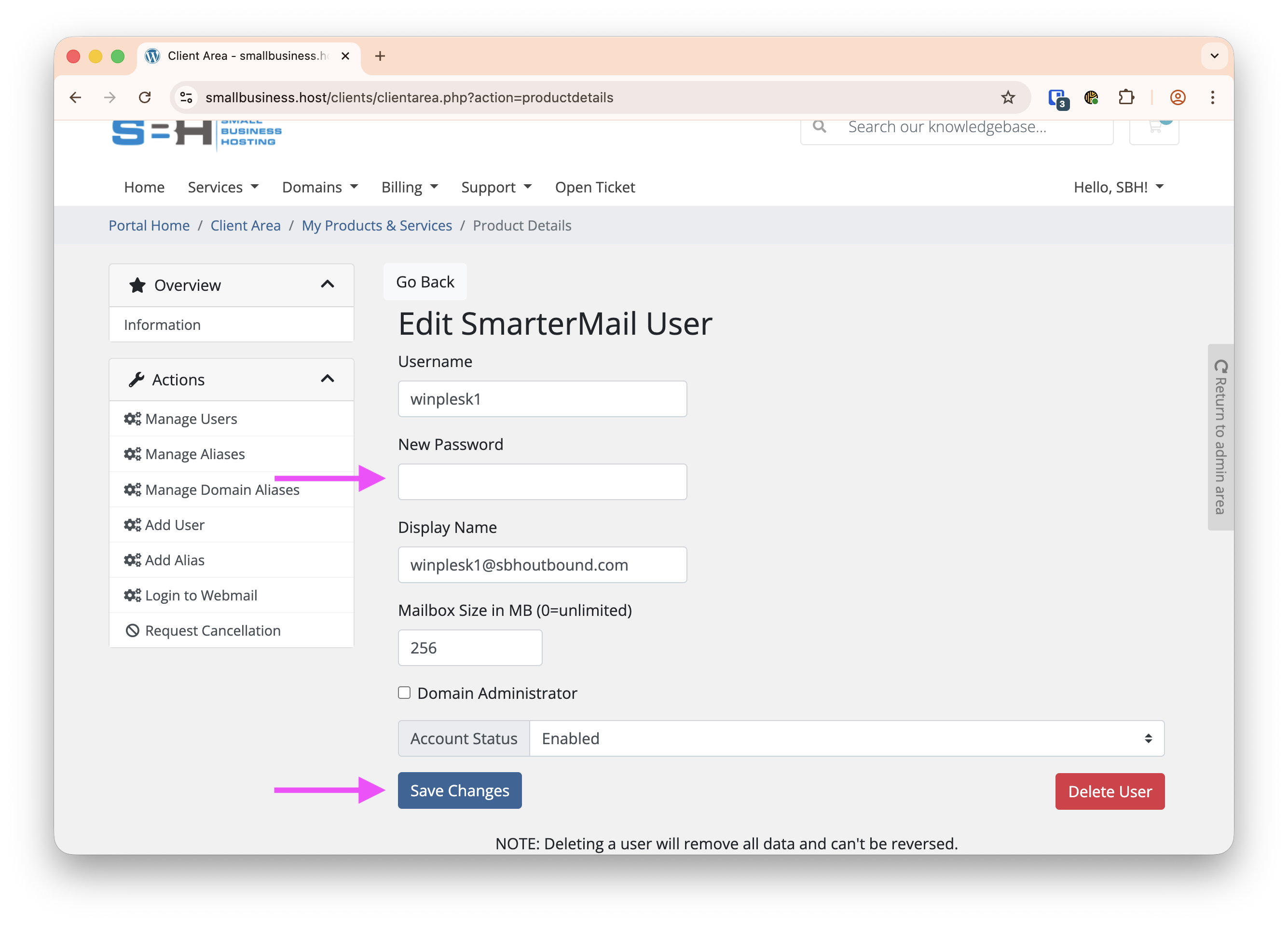
You are now able to manage email accounts directly from the Client Management Portal. In order to change a password you need to log into the Client Management Portal (link) and then follow these instructions:
- Click View Details on the SmarterMail product
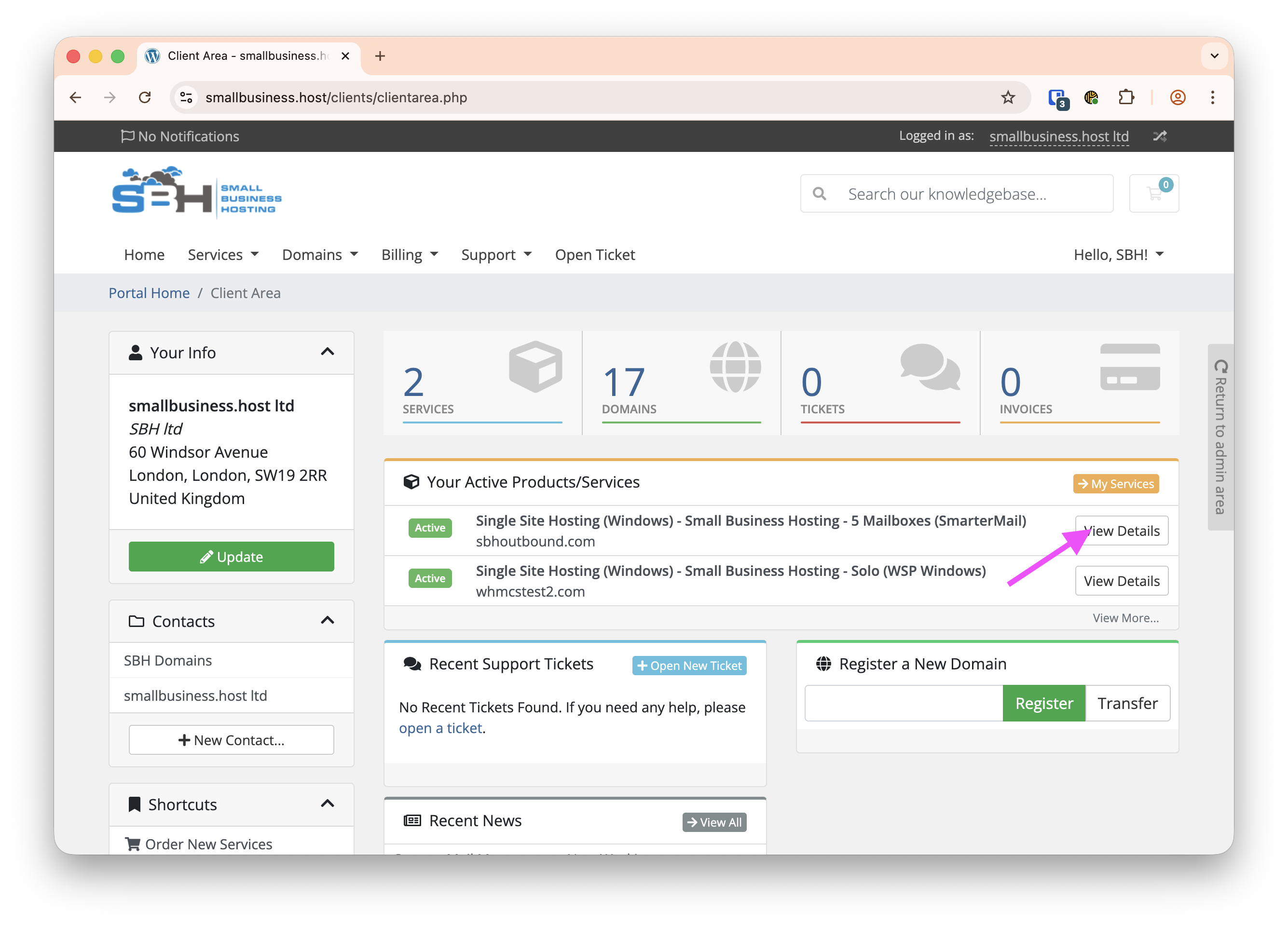
- Click Manage Users
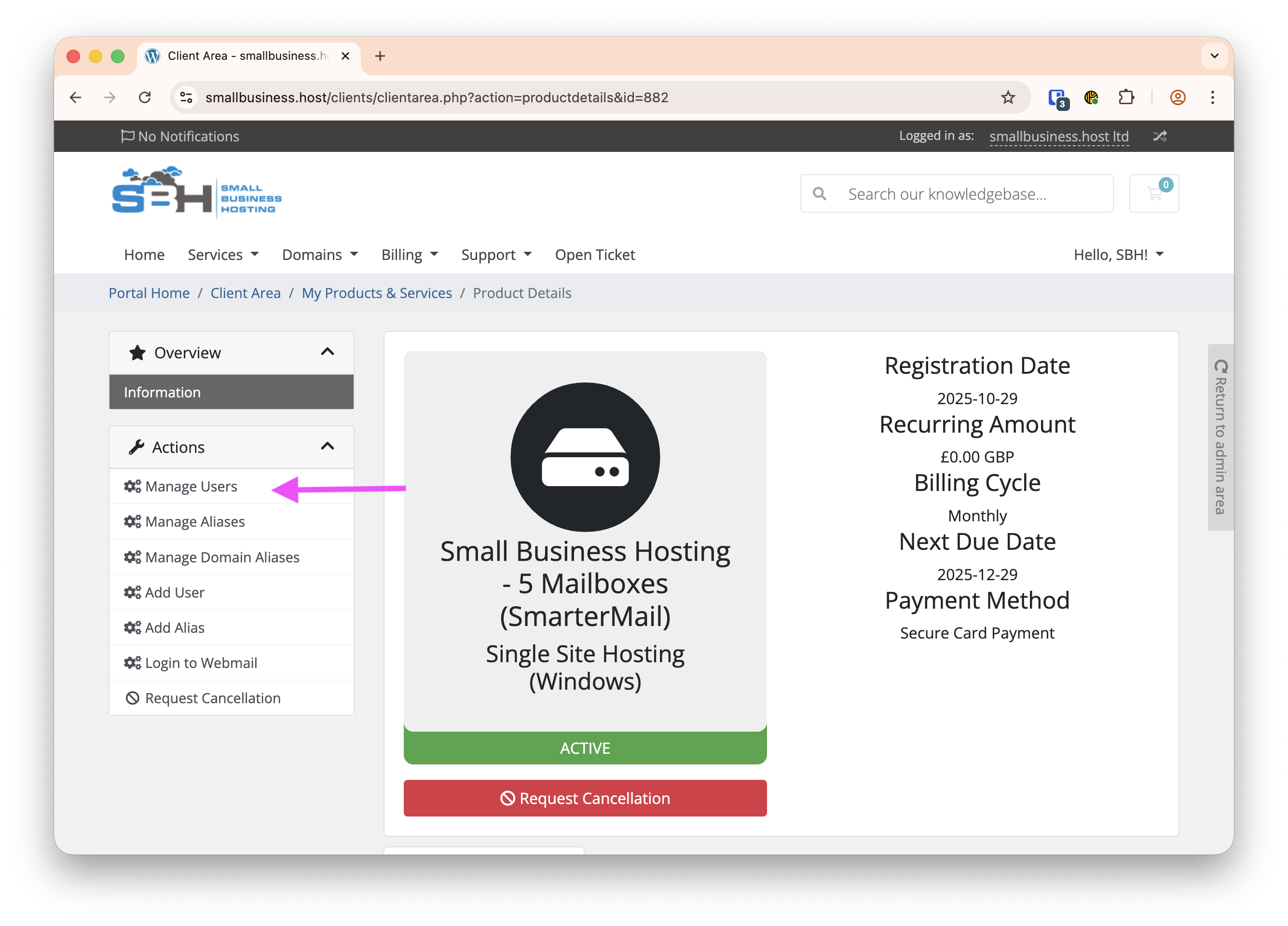
- Click the notepad with a pencil/Edit icon next to the user whose password you want to reset. Be careful not to press the bin/delete button.
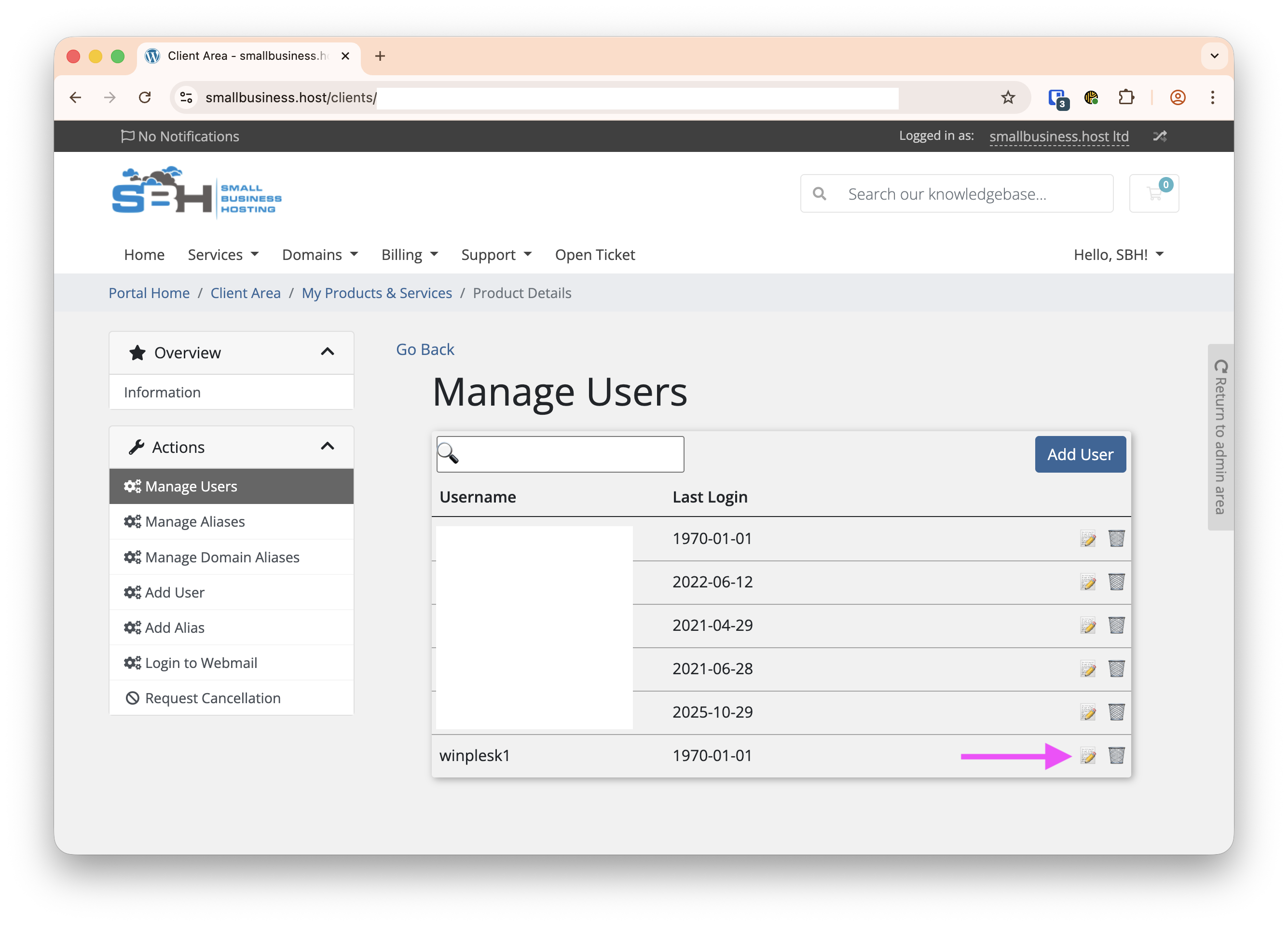
- In the password field enter the new password. We recommend choosing a secure password, such as following the National Cyber Security Centre's minimum recommendations that passwords should contain at least 3 random words (link), along with a couple of numbers and a special character for added security but to keep it memorable, and click Save Changes.